"... but in our riots, people get laid."
Saturday, January 7, 2012


Friday, June 3, 2011
Finding your mother's mobile phone in a large field
So your friend, wife, etc. (or in my case mother) has lost her cell phone in about 1.5 hectares (~3.7 acres for you americans) of field and forrest.
You happen to be 100km away... what do you do?
The only way she's really going to find it before dark is to walk around and look for it... but it would be much easier to find in all that wild space if it was ringing.
This is exactly what happened to my mother.
I started dialling my phone and letting it ring while she went out to walk around... this got pretty tedious after the first little while.
So after all that dialling I noticed that the phone would ring for 59 seconds and then hang up (likely a feature of my carrier) and being the lazy and dumb programmer I am, I decided there must be a way to automate all that dialling.
A quick search with google and sure enough there was!
Lucky for me, I use an Android phone and I have the development tools on my computer. This allowed me to write a small script that simply dialled her over and over again every 70 seconds.
This is what I did:
- I use a Mac Pro (but this should work on linux with a bash shell as well, Windows users are on your own).
- You need the Android SDK installed.
- You need an android phone (I am using a Nexus S currently).
Here is the quick and dirty shell script I wrote to to the job:
#!/bin/bash
echo "Calling every 70 seconds..."
c=1
while [ 1 ]
do
    adb -s 173166299F8500EC shell service call phone 2 s16 "13335554444"
    sleep 70s;
    echo "Calling again ($c) ..."
    (( c++ ))
done
The -s ### is the identity of the phone, I have several devices connected to my computer and I needed to indicate which one I wanted to act upon.
The last number in quotes is the number to dial (redacted for security).
The 70s is 70 seconds of course.
This would dial the phone and wait 70 seconds (about 11 seconds longer than the phone would ring), then dial it again.
Warning: If you use this as a prank on someone, I'm not responsible for the hole in your shorts when your ass gets kicked; or if the phone company cuts you off after your buddy complains. Besides, think about it, they are going to know who is doing it to them when your number pops up on the screen.
Oh... and yes... she did find her phone in the end.
Tuesday, March 8, 2011
Gingerbread out for Nexus One
My Nexus one that I use for development has just updated to Gingerbread.
Monday, January 31, 2011
Metered Internet in Canada. Say it ain't so!
More information on the Metered Internet in Canada:
I rent movies and make telephone calls, do my banking, pay my taxes, renew my car license, interact with my city, provincial and federal governments all through network technology.
The network service providers are aware that more and more we are going to depend on the network for our day to day lives. They want to get the rules changed now before most of us are aware of just how much things are going to change.
What we'll end up with is a system like cell phone where you pay by the minute for every call you make and the cost can be as high as they like it to be.
This is not a good situation for us and will in fact make us a backward country in terms of our future compared to the rest of the world. Don't let this become the way things are. Help change the rules before they rules are implemented.
Monday, January 24, 2011
New Android version released
Well it appears today that that my Nexus One got an OTA update from 2.2.1 to 2.2.2.
Now if only Samsung would get off their asses and stop screwing their customers.
I am dropping my Galaxy S Captiva as soon as I can!
The notice said it was a maintenance release, which would make sense based on the version sequence.
More on the update here:
Nexus One Gets Android 2.2.2 Update, Still no Gingerbread
Now if only Samsung would get off their asses and stop screwing their customers.
I am dropping my Galaxy S Captiva as soon as I can!
Monday, September 20, 2010

Friday, September 10, 2010
Wired Magazine: Really? The Web Is Dead?
Or so says and article in Wired Magazine: The Web Is Dead. Long Live the Internet
They include a fancy graph at the top of the article as proof of the authors statements.
However, that graph seems to be misleading if I'm interpreting it correctly. Lets take a look.

Sources: Wired Magazine per Cisco estimates based on CAIDA publications, Andrew Odlyzko
Notice that DNS and Web are down relative to video and peer-to-peer however we know that they are not down; DNS alone still happens every time your computer needs to translate a name to a number and it happens a lot more in your computer and on more devices than it ever has... it's just a very small amount of data. If the values are a proportion of traffic, then even if Web (http) usage was increasing, the volume of a movie or p2p file transfer (also most likely a movie) would dilute the figures so that it looked like "the web" was dead as the author claimed.
In fact all this is really showing is that the proportion of data attributed to video is rising, which we know to be true as more and more people get their content via streams (Netflix, iTunes, Youtube, etc). It shows that more data is video, and possibly the web has become more efficient... in no way does it actually indicate that "the web is dead".
I am very surprised that Wired would make this kind of mistake, let alone that others pass it along without actually understanding what they are looking at.
It's one of those inaccurate mumbo jumo articles that can actually define the attitudes that make it come to pass, although I very much doubt that it will in the next 15 years at least.
It actually unfortunate that the authors (Chris Anderson and Michael Wolff) made this mistake, because even though they did have some interesting things to say, they caused themselves to be taken les seriously using that data as a basis of their article.
It really makes you wonder how many people are going to read that article and not actually look at the graph.
I can see it now; I'll be talking to some customer and he/she will tell me "The Web Is Dead"... at which point I'll likely apply palm to face.
Wednesday, September 8, 2010
iPod Nano: new version is missing the features I want!
Apple has just updated the iPod Nano line.
The trouble is that they have taken out the video camera.
Now I don't need an iPod, I have a phone that plays music just fine and gives me a whole lot of other features as well, however I would like to get an iPods for my kids.
To the kids, the music is important, but to me the camera is important. I want the video camera, because it give a passive device and active feature.
When you think of what sort of gadgetry you want your kids to have, a camera should be right up there with anything else, what better way to give them a tool so they can start building their own life record early on? What better way to encourage them to go outside and see what they can see?
Since apple has changed the line and removed the camera from the Nano, I've looked around and managed to find a few left in a local Apple retailer. I'll be buying the old iPod Nano instead of the new one this week, while I can still get them, even though I had not planned to give them to the kids for another year.
Now I can't believe I'm the only one disappointed that the camera is gone... so I have to wonder once again is Apple actually listening to their customers?
If I wanted an iPod that small, I could have purchased an iPod Shuffle instead... the new Nano is just a tad larger than the Shuffle... it's not the size I want, it's the features and removing a feature like the camera was a silly move.
Monday, June 28, 2010
Upgrading Nexus One from Android 2.1 to Android 2.2
Well it turns out that I had version 2.1 update 1 installed (build id ERE27) and my Nexus One would not update to Froyo (build id FRFxx).
So, I had to find out how to do it manually.
I used this article to run the update:
Tips:
- Be patient; Ready Everything!
- This will update you from ERE27 to FRF50. You can use the same instructions to get to FRF83. (download FRF50 to FRF83 update here).
- after step 8, you will see a box with an arrow coming out of it and a little droid. It takes a while, but don't panic. the phone is installing the update.
- The phone will do a few restarts on its own. Let them run.
Q&A For Fido Users
- Yes, the tethering option is available.
Sunday, April 4, 2010
iPhone Keyboard Emulator
UPDATE:
The IKE page is no located at http://mobile.sixgreen.com/projects/iphone-keyboard
This page will no longer be updated.
---
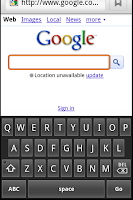
The iPhone Keyboard Emulator is an "Input Method" that runs on Android 2.1 OS phones and is mainly for iPhone users that have switched from using an iPhone to an Android based phone.
If you don't already have it installed, you can use this site to help find it in the Market: iPhone Keyboard Emulator
Installation
Don't expect an icon to show up on the home screen;
this is an Input Method and is essentially a modification to the system that allows you to change how it works (one of the great wins of Android).
Here are some quick instructions on enabling it:
- Go to Settings -> Language & keyboard
- You should see "iPhone Keyboard" listed about half way down.
- Enable the new input method by selecting it (check the checkbox) you should get a warning that I could have logged your keys presses etc. If you don't trust me now, uninstall it and stop wasting your time reading this.
- You can now exit Settings.
- Select any application you like that you can enter text into.
- Make a long-click on the text input (press and hold your finder on the text box).
- You should get a popup list within a few seconds and one of the options should be "Input Method". Select it.
- You should see the iPhone Keyboard in the list of input methods. Select the iPhone Keyboard option.
- Your keyboard will now change.
Note that you can change it any time you like, but the selection will be sticky (it stays selected) and going back to the original Android Keyboard is as simple as doing steps 6 through 9 again.
For more detail on input methods, see: Change Your Android Soft Keyboard System
Version History
Version 1.0.05 EA
- Reworked keyboard. (Keyboard changes in 1.0.04 were not helpful)
Version 1.0.04 EA
- Fixed apostrophe deleting previous char.
- Added double-space = period+space
- improved key spacing & layout
- Fixed shift key preview (was popping up blank)
Version 1.0.03 EA
- Fixed can't select / or : on N1
Version 1.0.02 EA
- fixed layout on shift-symbol keyboard.
Version 1.0.01 EA
- fixed button images
- improved layout
Version 1.0.00 EA
- Initial release
Upcoming Features
I actually do pay attention to the comments attached to the app in the Android Market. This is a list of features I see people asking for (in no particular order, you'l get them when I get to them).
- (***DONE) Improved key spacing
- Auto-complete
- (***DONE) Space bar double-tap for a period+space.
- Improvement to the key colours (iPhone uses two tones of grey)
- Landscape mode
There have been a few comments about how it's "exactly like the android native keyboard" which is simply not true. I can only imagine that nobody bothered to hit the number screen, where most of the changes are... so to those people; get a clue.
For those that can't get it to work: so far most of the comments to that effect are because someone didn't actually bother to read the instructions above. To those people; I'm sorry your having trouble, but please RTFM.
Known Issues
- The key colours are not the same as the iPhone.
FAQ
Q: What version of Android does this work on?
A: It should work on any Android 2.1 OS that uses a virtual keyboard. It was specifically written for the Nexus One but I have reports that it also works on Motorola Droid (although I don't now why you'd need it on one).
Q: Does it collect my data as the warning suggests it could?
A: No. I'm not interested in your data. I wrote this for myself and I already know my own data.
Reasoning
To deal with the problem for myself, I created a new "Input Method" that emulates the iPhone layout. The app is designed to run on my Nexus One with Android OS 2.1 but should work on any 2.1 Android phone.
It's working great for me, and I hope you find it useful as well.
Friday, March 19, 2010
Getting the Nexus One working on Fido (Canada)
Since the Nexus One is an unlocked phone and you can buy it without having to sign your life away, you will have to do a little bit of configuration yourself. It took me a little while to sort out what little conflicting information I could find in order to get all the bits in place.
As far as I can tell, the phone works perfectly on the Fido network at 3G speeds (I saw a lot of people saying it would not and would only work on EDGE).
Here are the steps you need to take to get the phone working on Fido's network.
Basic Phone & Voice Setup
- The Phone will want to configure when you first turn it on (You need a gmail account or a Google Apps account for this). Leave the SIM card out until the initial configuration is done. You can do it with the SIM in, but it's better to use a WiFi access point instead.
- Once done and booted for the first time, shut the phone down again (press and hold the button on the top left). Once the phone is off, insert your SIM (give attention to the orientation of the SIM card, it's labeled in the slot). Press the same button to power up the phone again.
- You should now have a working cell phone. you can make and receive calls with it etc. however the data portion will not yet be working. Make a test call if you can to check that the SIM is correctly installed.
Get the Data Setup
At this point the phone is working but you have no data. It will work fine on a Wifi connection (which you have already created) but as soon as you leave the house and the wifi goes out of range, you will lose the data access. All is not lost, there are just a couple of settings to add.
- On the phone, go to: Settings -> Wireless & Networks -> Mobile Networks
- Click on "Access Point Names" (it will be an empty screen).
- Click the menu button (centre left) and select "New APN".
You need to do that twice as there are two APNs to add as follows:
This is the one that will show the 3G icon in the notification bar.Name: FidoINTAPN: internet.fido.caUsername: fidoPassword: fidoAPN Type: defaultleave the rest of the fields blank
This one will enable MMS from the phone.Name: FidoMMSAPN: mms.fido.caMMSC: http://mms.fido.caMMS Proxy: 205.151.011.013APN Type: mmsleave the rest of the fields blank
You should now have proper 3G data access and MMS working.
Update 1: It appears that MMS is not working. I'll see if I can sort out why and post it here.
Update 2: A commentator below (Milo) added the following to our knowledge base:
"To all those of you who are not getting 3g speeds and only edge:
I called Nexus One support about the issue, and I figured out why it is that I too am only getting edge. There are 2 versions of the Nexus One. The AT&T version and the world version. The most recent one which became available for sale in Canada will allow for 3g on all networks around the world, however if you purchased your nexus one from the states or a third party site prior to its release in Canada then you're as boned as I am. The newer Nexus One is identical except for the fact it works in wider cellular range for data. Now this doesn't mean the phone is completely useless for 3g. For example I just got back from Europe using an Orange sim and had 3g. Sadly I don't believe any provider in Canada at the moment works on the same frequency as the older Nexus One."
Nexus One - First Impressions
I've been an iPhone user for about 2 years now, but I ordered a Nexus One the same day they became availible in Canada.
Here are my first impressions.
- The packaging is as slick as an iPhone.
- The phone is a millimetere or two thinner than the iPhone, but overall its almost exactly the same size and it is going to fix in most of my iPhone holsters etc.
- It comes with a 4 gig microSD card already in the phone.
- Starts up with an animation as an indicator.
- The screen is much brighter than my iPhone. and faster.
- The onscreen keyboard is very similar to the iPhone, so I'm not having much trouble with it. It doesn't come withteh keyboardsound feedback enabled however which I'm missing right away. I may be able to turn it on once i get things going. (update: indeed you can turn on the click sounds).
- Battery status shows you what applications/features are taking up the most battery power... very handy.
I'll have to explore more, but I'll post anything else I find that is particularly cool or different.
Here are my first impressions.
- The packaging is as slick as an iPhone.
- The phone is a millimetere or two thinner than the iPhone, but overall its almost exactly the same size and it is going to fix in most of my iPhone holsters etc.
- It comes with a 4 gig microSD card already in the phone.
- Starts up with an animation as an indicator.
- The screen is much brighter than my iPhone. and faster.
- The onscreen keyboard is very similar to the iPhone, so I'm not having much trouble with it. It doesn't come withteh keyboardsound feedback enabled however which I'm missing right away. I may be able to turn it on once i get things going. (update: indeed you can turn on the click sounds).
- Battery status shows you what applications/features are taking up the most battery power... very handy.
I'll have to explore more, but I'll post anything else I find that is particularly cool or different.
Wednesday, March 10, 2010
Disillusioned with the iPhone
 I have to admit that I've been an iPhone user for almost two years.
I love the interface, as it mostly works and in my opinion is much better than just about anything else currently available; including BlackBerry and Android phones.
The reason it's better has to do with the design of the user interface and the way it's controlled (android does pretty well, but is stuck a bit too much in older design concepts).
However I'm becoming more and more disgusted with Apple's goal of completely controlling the phone and all the content it gets. The recent move to kill iPhone apps that are competitive or are some how morally objectionable to someone at Apple (such as the recent decision to remove wifi finders from the app store), along with Apple's tendency to lock down anything they do in recent years is concerning me on a usability and moral level.
It only a matter of time before my disgust with Apple outweighs my desire to use the best device and I choose something else.
The question becomes what else there is. Android comes closest at the moment, but I'm not complete satisfied with that one ether.
Note: This image is not mine, and I don't know where it came from. If you know, let me know and I'll attribute it properly.
Saturday, January 30, 2010
They are fighting for Your Future!
I found a good article, Tinkerer’s Sunset written by Mark Pilgrim.
Once upon a time, Apple made the machines that made me who I am. I became who I am by tinkering. Now it seems they’re doing everything in their power to stop my kids from finding that sense of wonder. Apple has declared war on the tinkerers of the world. With every software update, the previous generation of “jailbreaks” stop working, and people have to find new ways to break into their own computers
What struck me is that what he's saying is so obvious that I have trouble understanding why most people don't know what all the fuss is about. He says it well however, so I encourage you to read his article and actually think about the consequences.
Wake up people! There is a war going on that will significantly impact your future and the future of your children.
Tuesday, December 22, 2009
Ubuntu Netbook Remix: Getting the Wifi and Mic working on an HP mini 110-1118 (CA)
Ubuntu Netbook Remix works fine for this machine, except the sound drivers and wifi, but fixing them is easy:
To get the wifi working:
Update the OS, then use the Drivers control panel in the system settings panel.
There is a bug in 9.10 that prevents this from working out of the box, so you need to update the OS first.
To get the internal Mic working:
Sound works, all except for the internal Mic. A peer passed me a note he found in some forum that worked (sorry, I don't have the original attribution):
(You can install the backport module using the Synaptic package manager).
Here is the word-for-word original note I used:
Yes, that worked for me too, using the Mini 100c!
But you don't have to install the alsa sound package.
Just
- install linux-backports-modules-alsa-karmic-generic
- reboot
- open a terminal, enter "alsamixer", press "tab", and set both internal and front mic sliders to 100%
- press "esc"??
You can now use the internal mic using whatever tool you like.
Friday, October 23, 2009
US doesn't like Canadian copyright laws.
In the Canadian Press article Canada deserves spot on U.S. naughty list due to lax copyright laws, the author suggests that the US ambassador to Canada doesn't like Canadian copyright laws, and is not shy about saying so.
It's not really a secret however. The US, driven by entertainment industry lobbyists, has been at us for years to make our system like theirs.
What they are missing however is that in Canada, there is less power in the Lobbyist camp and more power in the people. The People don't want US style copyright laws or at least don't want to be dictated to by a foreign country.
Make no mistake, our copyright laws need revision (in progress) but they need to reflect the needs and wants of the People in this country, not the US.
So, to the US ambassador, By all means tell us about your system, we'd be happy to take the ideas from it that are useful, but we'll discard the points that we, the People, don't like about it.
If you don't like it, well, we all have to suck eggs now and then.
Friday, October 16, 2009
Apple OSX Security FAIL
More than once now, I've managed to get OSX to require me to log in, but allow me to access the machine behind the login prompt.


I have been unable to explicitly reproduce it at will however, and so I would like help from the people out there to determine what exactly is going on, so we can get Apple to fix the problem.
Here is what I know of the problem:
- Happens on Leopard and Snow Leopard (I'm currently running Snow Leopard 10.6.1).
- enable: Require password "immediately" after sleep or screen saver begins.
- enable: Use screen saver "Word of the Day" (mine is set for 5 minutes).
- Allow screen saver to activate and move the mouse before the the Word of the Day screen saver is fully active.
What you should get if you are able to reproduce this is that the computer pops up a dialog asking you to log in to unlock the machine, however you have mouse access to your desktop, and if you check, you will be able to change security settings as long as they don't require keyboard input. The keyboard will be captured by the login dialog.
I managed to take snapshots of the last two times this has happened on my machine, showing that i was able to access the preferences dialog (I have smuged out personal info in the images):


If you are able to reproduce this, please let me know and what you did to reproduce it, particularly is you are able to do it at will.
By all means call apple about the problem if you can reproduce it. The case number I put in is: Apple Expert Case 139146232
Update: This has been submitted to bugreport.apple.com as issue # 7318689
Update: This appears to be fixed in OSX 10.6.2 as I have not seen any further occurrence.
Wednesday, October 7, 2009
Google Street view in Toronto

Google street view is now live in Toronto.
Street view was delayed in Canada because our privacy laws have more depth than in the US.
Tuesday, October 6, 2009
Google place names in their own language
 I just noticed a very cool feature Google Maps has added to their map views.
It seems the place names are now in english as well as the native language of the place.
This seems like a small thing, but gathering all that data and then rendering it for display on the map has a very cool aspect and it lets the rest of the world know that Google cares about the place you come from, even if you don't speak english there.
Wednesday, September 30, 2009
Two incidents between cyclists and vehicles
It's heartbreaking to hear yet more incidents between cyclists and vehicles, particularly when someone dies. Both incidents lists here are reported by CP24.
First reported by CP24, is a man who died when he cut in front of a street car. They are large and can't stop on a dime. The man is reported to have " went through a red turn signal while the streetcar was proceeding through the intersection on a green light.".
The second reported by CP24, is a cyclist, specifically identified as a bike courier, who got into a fist fight with a driver. CP24 reports that the cyclist appeared to be struck by the car (obviously without much damage) and proceeded to start punching the driver through the car window. The driver was then reported to have to gotten out of the vehicle and punched the courier back.
Both incidents are disturbing and I believe the root of the problem lies with the ability to share the road, and the lack of knowledge of what is safe and reasonable to be doing on the road.
The man who died actually went through a red light right in front of a street car... there is no question that training that man to understand the rules of the road before he went out on his bike would have saved him, if he already did know the rules, he ignored them to his own final detriment. Unfortunately this is something I see happening all the time.
In the second case, I have no doubt that the bike courier felt that he had been wronged and wanted to let the driver know, but in what universe is it ok to start punching someone to get a point across? In that case, the vehicle has a licence plate for a reason and it is not safe or reasonable to start punching someone. Violence of that nature is not ok in my city.
What can be done after the fact to reduce the likelihood of those types of incidents from happening again?
- Make sure the drivers and cyclists are educated on how they can and should use the road. We need a better way to educate both drivers and cyclists before they get on the road.
- In the second case, the courier and maybe the driver should be charged with assault. Why were they not?
An accident is an accident and they can be reduced through education. Throwing punches is not accidental, it's assault and should be treated as such.
Subscribe to:
Posts (Atom)